LangGraph Explained: How GenAI Engineers Build Stateful, Multi-Agent Systems

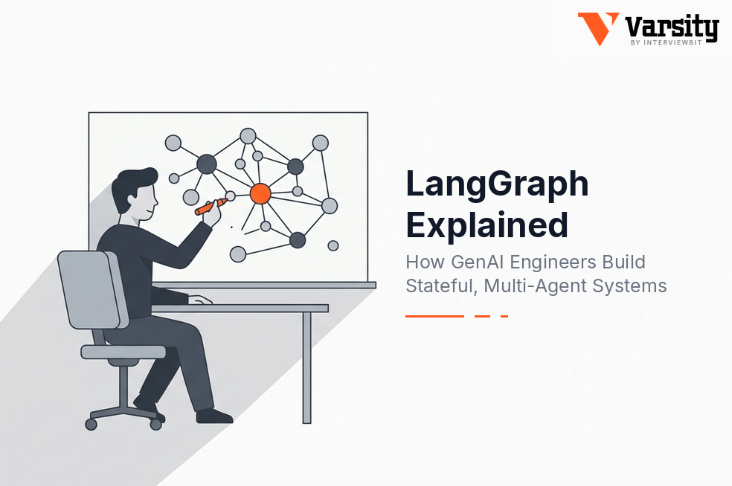
LangGraph is a low-level orchestration framework and runtime for building stateful, long-running AI agents. You model your application as a graph: a typed state object, nodes that read and update it, and edges that decide what runs next. Its defining capability is durable execution, since a checkpointer saves state after every step, so an agent can pause for human approval, survive a crash, and resume exactly where it stopped. It is used when a standard tool-calling loop is not enough: custom control flow, multi-agent coordination, and workflows that mix deterministic code with model-driven decisions. As of August 2026 the current version is LangGraph 1.2.11, requiring Python 3.10 or higher.
The mental shift that makes LangGraph click: you are not configuring an agent, you are designing a state machine that happens to have a model inside it.
Key Takeaways
- LangGraph is a runtime, not a framework layer competing with LangChain. create_agent compiles into it.
- State plus reducers is the core abstraction. Get the reducer wrong and nodes silently overwrite each other.
- Checkpointers are what make durability, human-in-the-loop and time travel possible. They are one argument.
- Multi-agent has five documented patterns, and most teams need fewer agents than they think.
- The most expensive mistake is using LangGraph when create_agent would have worked.
What LangGraph Actually Is
LangGraph models an agent workflow as a graph with three parts, and that is genuinely the whole model:
State. A shared data structure representing the current snapshot of your application, defined as a TypedDict, a dataclass if you want defaults, or a Pydantic model if you need recursive validation. Every node reads it and returns updates to it.
Nodes. Plain Python functions that take state, do work, and return an update. A node can call a model or it can be ordinary code. The docs are blunt on this point: nodes and edges “are nothing more than functions, they can contain an LLM or just good ol’ code”.
Edges. Functions that decide what runs next based on the current state. Fixed transitions or conditional branches.
In short: nodes do the work, edges decide what happens next.
Execution follows a message-passing model inspired by Google’s Pregel system. The graph proceeds in discrete super-steps, where nodes running in parallel share a super-step and sequential nodes occupy separate ones. Execution ends when no node is active and no messages are in transit. You rarely need this detail day to day, but it explains parallel behaviour when you branch.
The minimum viable graph, from the current docs:
from langgraph.graph import StateGraph, MessagesState, START, END

def mock_llm(state: MessagesState):

    return {"messages": [{"role": "ai", "content": "hello world"}]}

graph = StateGraph(MessagesState)

graph.add_node(mock_llm)

graph.add_edge(START, "mock_llm")

graph.add_edge("mock_llm", END)

graph = graph.compile()

graph.invoke({"messages": [{"role": "user", "content": "hi!"}]})
Note the compile step. It validates structure, checking for orphaned nodes and similar problems, and it is where checkpointers and breakpoints are attached. You must compile before you can run.
Its relationship to LangChain, stated once. LangChain is the framework, LangGraph is the runtime beneath it, and create_agent returns a compiled LangGraph graph. If you want the full argument about which to reach for, the LangChain vs LangGraph breakdown covers the decision properly, and the LangChain pillar guide covers the framework layer. This article stays at the runtime.
State and Reducers: Where Most Bugs Live
This is the part that separates working graphs from mysterious ones, and most tutorials skim it.
Your state schema defines what flows through the graph. Reducers define how updates are applied. When two nodes both return an update to the same key, the reducer decides whether the second overwrites the first or combines with it.
The default is overwrite. For a message list, overwrite is almost always wrong: you want to append. That is why MessagesState exists as a prebuilt schema with the right reducer already attached.
from typing import TypedDict, Annotated

from operator import add

class State(TypedDict):

    messages: Annotated[list, add]   # appends

    current_step: str                # overwrites
The failure mode to recognise: you add parallel branches, both write to the same key, and results vanish non-deterministically depending on which finished last. It presents as a model problem. It is a reducer problem.
You can also constrain what enters and leaves the graph using separate input and output schemas, plus private channels for internal node communication that never appear in the output. Useful once a graph grows past a handful of nodes.
One documented limitation worth knowing: the higher-level create_agent factory does not support Pydantic state schemas. If you need recursive validation on state, you are writing the graph yourself.
How to Build AI Agents With LangGraph
This section covers the how to build ai agents intent with the sequence that actually works.
Step 1: Write the state schema first. Not the nodes. Ask what information has to survive between steps, and what happens when two steps write the same field. Getting this wrong is the most expensive early mistake because everything downstream depends on it.
Step 2: Write nodes as testable functions. A node takes state and returns a dict of updates. Keep model calls thin and put logic in ordinary code where you can unit test it without an API key.
Step 3: Add edges, conditional where routing depends on state. A conditional edge is a function returning the name of the next node. This is where LangGraph earns its keep over a plain loop.
Step 4: Compile with a checkpointer. Even in development. It costs one argument and unlocks resumption, inspection and human-in-the-loop.
Step 5: Invoke with a thread_id. The thread ID is your persistent cursor. Reuse it and you resume that state. Use a new one and you start fresh with empty state.
Step 6: Trace it. A graph that misbehaves is nearly impossible to debug from output alone, because the interesting information is in which nodes ran, in what order, with what state. Set LANGSMITH_TRACING=true or accept that you will be guessing.
Prerequisites: Python 3.10 or higher, and comfort with typed Python, since the state schema is a type definition. If agents as a concept are still fuzzy, what AI agents are is the better starting point, because LangGraph assumes you already know what you are orchestrating.
Before you write a graph, apply this test: does your flow need a cycle, branching on intermediate state, durability across restarts, or human approval mid-run? If none apply, create_agent is the correct choice and a hand-written graph is over-engineering that reviewers will flag.
Persistence: Checkpointers, Stores and Durable Execution
Durability is LangGraph’s strongest differentiator, and it comes from two distinct systems that are easy to confuse.
| Checkpointer | Store | |
| Persists | Graph state snapshots | Application-defined key-value data |
| Scope | A single thread | Across threads |
| Memory type | Short-term, thread-scoped | Long-term, cross-thread |
| Use for | Conversation continuity, human-in-the-loop, time travel, fault tolerance | User preferences, facts, shared knowledge |
| Access | Pass a thread_id in config | Read and write from nodes or app code |
Most real applications use both: the checkpointer tracks the current conversation, the store remembers the user between conversations.
from langgraph.checkpoint.memory import InMemorySaver

from langgraph.store.memory import InMemoryStore

graph = builder.compile(checkpointer=InMemorySaver(), store=InMemoryStore())

result = graph.invoke(

    {"messages": [{"role": "user", "content": "Hi, my name is Bob."}]},

    {"configurable": {"thread_id": "thread-1"}},

)
Four production traps, all documented, all common:
- MemorySaver and InMemorySaver lose everything on restart. They are RAM only. Use PostgresSaver in production or SqliteSaver for local file-based work.
- thread_id has a length limit. Under 255 characters with PostgresSaver, or you get a database error. Use a UUID.
- Checkpoints grow without bound. Long conversations accumulate state, raising latency and storage cost. Prune on a schedule or set a retention policy. Nothing does this for you.
- Subgraphs keep their own checkpoint namespace, so a parent graph may not immediately see a subgraph’s state updates. Use a Store for data that must cross graph boundaries.
That third one is a slow-burn production issue rather than a launch-day bug, which is exactly why it catches teams months in.
Human-in-the-Loop With Interrupts
Interrupts are the feature that makes LangGraph viable for workflows touching money, customer data or anything irreversible.
Calling interrupt() inside a node pauses execution, saves state via the checkpointer, and waits indefinitely until you resume. Unlike static breakpoints that pause before or after a named node, interrupts are dynamic: they can sit anywhere in your code and fire conditionally.
from langgraph.types import interrupt

def approval_node(state: State):

    approved = interrupt("Do you approve this action?")

    return {"approved": approved}

You resume by re-invoking with a Command, and the resume value becomes the return value of the interrupt() call inside the node:

from langgraph.types import Command

config = {"configurable": {"thread_id": "thread-1"}}

stream = graph.stream_events({"input": "data"}, config=config, version="v3")

final = stream.output

if stream.interrupted:

    print(stream.interrupts)

resumed = graph.stream_events(Command(resume=True), config=config, version="v3")
The gotcha that causes real bugs: when you resume, the node restarts from the beginning, so any code before the interrupt() call runs a second time. If that code charges a card, sends an email or writes a row, it happens twice. Put side effects after the interrupt, or make them idempotent.
Two more rules worth internalising. You must resume with the same thread_id used when the interrupt occurred. And Command(resume=…) is the only Command form intended as input to invoke or stream; the update, goto and graph parameters are for returning from node functions, not for continuing a conversation.
Interrupts require a checkpointer and a thread ID. Without persistence there is nothing to resume into.
Multi-Agent Systems: Five Patterns, and When You Need None
The multi-agent systems intent attracts more enthusiasm than it deserves, so start with the documentation’s own caveat: not every complex task needs multiple agents, and a single agent with the right tools and prompt often achieves the same result.
When teams say they need multi-agent, they usually want one of three things: context management (specialised knowledge without flooding the context window), distributed development (separate teams owning separate capabilities), or parallelisation (concurrent workers on subtasks).
Multi-agent genuinely helps when a single agent has too many tools and chooses badly between them, when tasks need extensive domain-specific context, or when you must enforce sequential constraints.
The five documented patterns:
| Pattern | How it works | Best for |
| Subagents | A main agent coordinates subagents as tools, all routing through the main agent | Distributed development, parallelisation, multi-hop |
| Handoffs | Agents transfer control via tool calls that update state and trigger routing | Multi-hop work and direct user interaction |
| Skills | One agent stays in control, loading specialised prompts and knowledge on demand | Distributed development with direct user interaction |
| Router | A classification step directs input to specialised agents, results synthesised | Parallelisation of clearly separable inputs |
| Custom workflow | Bespoke LangGraph flow mixing deterministic and agentic steps, other patterns embedded as nodes | Anything the four above cannot express |
Two things this table implies that are worth saying outright. Subagents scale poorly for direct user interaction, since everything routes through the coordinator. And the Skills pattern is not really multi-agent at all, which is often the point: it solves the context problem without the coordination cost.
At the centre of all of this is context engineering, deciding what each agent actually sees. That, more than topology, determines whether a multi-agent system works.
The cost dimension people discover late. Every additional agent means more model calls and more tokens processed. A coordinator that consults three subagents can multiply cost and latency several times over for a request a single well-tooled agent would have handled in one call. Multi-agent is a context and organisation solution, not a quality upgrade you get for free. For how this compares across the wider ecosystem, this guide to AI agent frameworks covers the landscape.
What LangGraph Does Not Give You
- It does not abstract prompts or architecture. This is stated as a design choice. LangGraph provides infrastructure, and the reasoning quality of your agent remains entirely your problem.
- It does not tell you your agent is wrong. Durable execution will faithfully resume a broken workflow. You still need evaluation, and the judgment about what correct means is yours.
- It does not control cost. Cycles are the point of the framework and an unbounded cycle is an unbounded bill. Set limits explicitly.
- It does not make graph thinking optional. The steeper learning curve is real. If your team has never designed a state machine, budget for that rather than for the API surface, which is small.
Where This Sits in Your Skill Stack
For an engineer with a few years of experience, LangGraph is worth learning for a reason beyond the framework itself: it is one of the few places in the GenAI stack where classical engineering skill transfers directly.
State design, idempotency, retry semantics, durable execution, checkpoint pruning: these are distributed-systems problems wearing new names. An engineer who has built a job queue or a workflow engine already understands the hard parts. The system design fundamentals that apply to any stateful service apply here almost unchanged, which is why backend engineers often move into agent infrastructure faster than people expect.
That is also the honest career read. The scarce skill is not knowing the graph API, which is a weekend. It is knowing when a workflow needs durability, how to design state that survives concurrent writes, and how to keep an agent’s cost bounded under load. Those judgments outlast the framework. The AI engineer roadmap sequences this against the rest of the stack.
Build one graph that does something unglamorous and complete: a workflow that pauses for approval, survives a deliberate process kill, and resumes correctly. Kill the process halfway through and restart it. That single exercise teaches more about production agents than any number of multi-agent demos, and it is the thing an interviewer can probe for ten minutes without hitting the bottom of your understanding.
Conclusion
LangGraph is the layer you reach for when your agent stops being a loop and starts being a system. State that must be designed, execution that must survive failure, steps that must wait for a human, and work that must be split across specialised components.
The framework itself is small. A state schema, nodes, edges, a compile step, a checkpointer. What takes real skill is deciding whether you need it at all, because the most common LangGraph mistake is not writing a bad graph, it is writing a graph where three arguments to create_agent would have done the job.
Build one durable workflow, kill the process mid-run, and watch it resume. That is the moment the abstraction stops being theory.
Frequently Asked Questions
What is LangGraph in simple terms?
A runtime for building agents as state machines. You define a state object, functions that update it, and rules for what runs next. It saves state at every step, so agents can pause, resume and survive crashes.
Is LangGraph better than LangChain?
They are different layers, not competitors. LangGraph is the runtime that LangChain’s agents compile down to. Use LangChain’s create_agent for standard tool-calling loops and drop to LangGraph when you need control the loop cannot give you.
Is LangGraph free?
The library is open source and free. LangSmith for tracing and evaluation, and the managed deployment platform, are separate commercial products with free tiers. Model API costs are separate and usually dominate.
What is a thread_id in LangGraph?
Your persistent cursor into saved state. Reusing a thread ID resumes that conversation from its last checkpoint. A new value starts a fresh thread with empty state. Keep it under 255 characters when using PostgresSaver.
Can LangGraph run long workflows that take hours?
Yes, that is a core use case. With a durable checkpointer the graph persists after every step, so a workflow can run for extended periods, survive failures, and resume where it stopped.
How many agents should a multi-agent system have?
Fewer than you initially plan. Start with one agent and add another only when you can name the specific problem it solves: too many tools for reliable selection, context that will not fit, or teams that need independent ownership.
Which version of LangGraph should I learn?
The current 1.x line, which is 1.2.11 as of August 2026, requiring Python 3.10 or higher. Check publication dates on tutorials, since the surrounding LangChain ecosystem reset in late 2025 and much older material teaches deprecated patterns.